1.1 驗證 Domain & 初始化 Cloud Identity
Cloud Identity 是 GCP 使用者帳號的來源之一。最重要的是,GCP Organization 組織層級以及超級管理員都來自於 Cloud Identity 這個主體。 依照 Google 的註冊精靈完成網域驗證(透過在 DNS 新增指定的 TXT record,或上傳 Google 提供的 HTML 驗證檔)之後,就會建立好 Cloud Identity 帳戶並進入 Cloud Identity console。
網域已被註冊怎麼辦
如果網域註冊遇到已經被註冊的問題,可以用以下連結請 Google 協助。
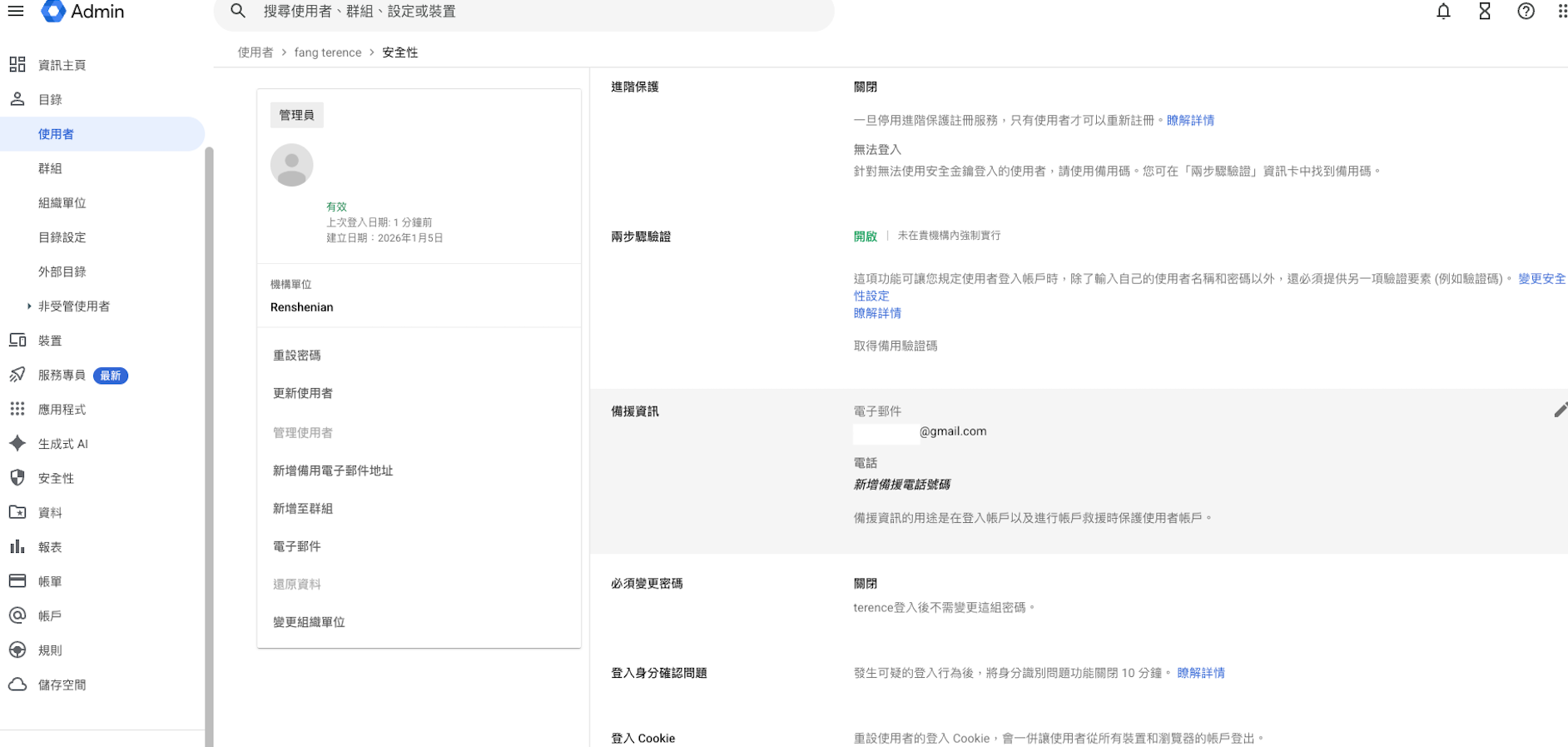
進到 Cloud Identity console 後,接著幫超級管理員(目前在使用的 User)設定以下:
- 兩步驟驗證
- 備援資訊——備援信箱跟電話
- 硬體安全金鑰(Security Key,例如 Titan Security Key、YubiKey;比簡訊或 Authenticator App 更能防止釣魚與 SIM 卡竊取)
Break-glass 緊急存取帳號
Super Admin 帳號等同於整個 Cloud Identity / GCP Organization 的最高權限,建議額外建立 1~2 組 Break-glass 緊急存取帳號:
- 帳號不綁定既有 SSO/IdP(例如 Entra ID),直接在 Cloud Identity 建立獨立密碼並搭配硬體安全金鑰,避免 IdP 系統故障或設定錯誤時完全無法登入管理 GCP。
- 帳密與金鑰實體妥善保管(例如企業密碼管理系統 + 保險櫃),並設定登入時的異常告警通知(email/Slack),平時不使用,僅在緊急情況下啟用。
- 定期(例如每季)演練登入流程,確保真的緊急狀況發生時可以使用。
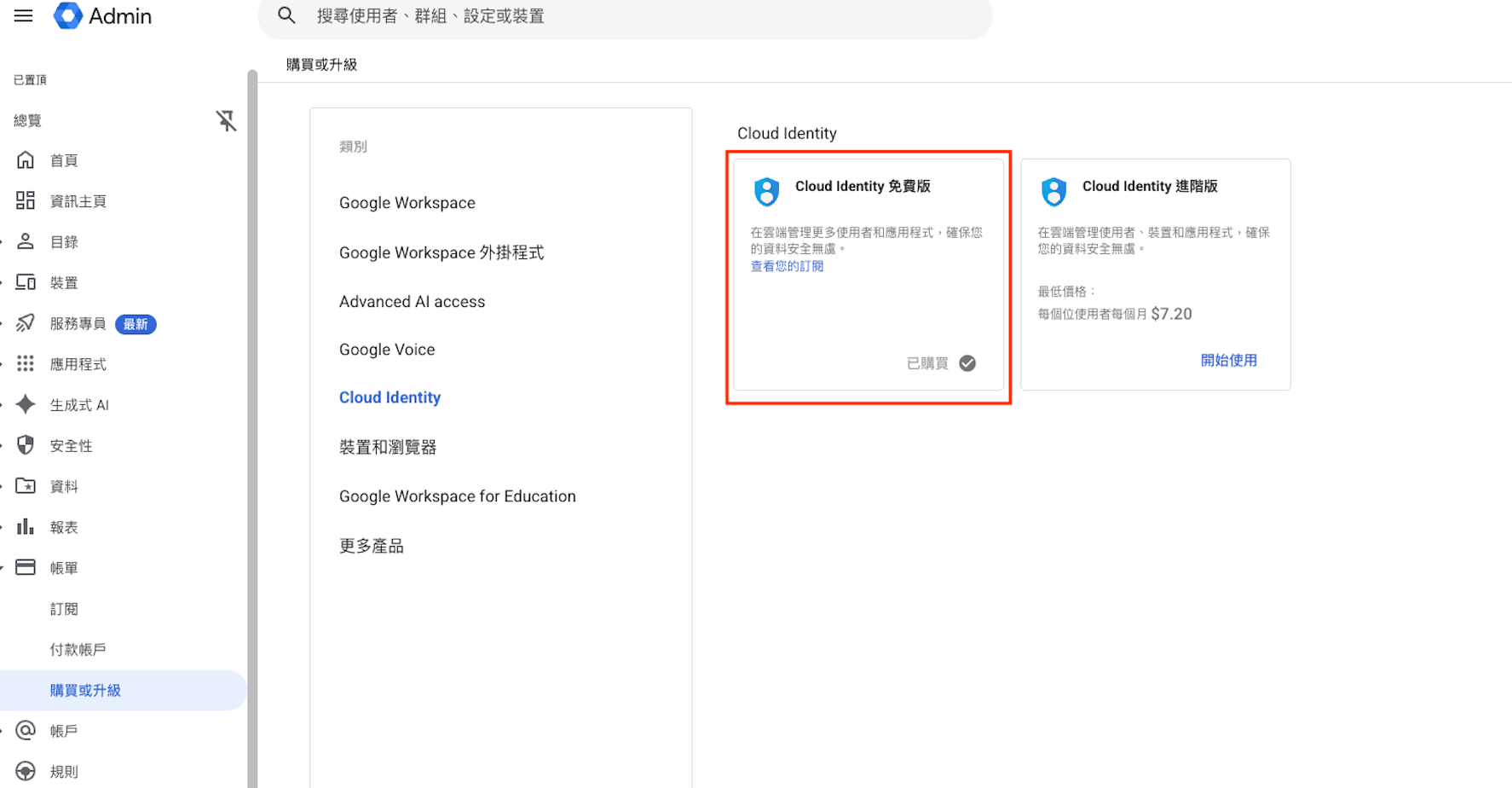
要去訂閱 Cloud Identity 免費版。這樣之後要在 Cloud Identity 新增 User 或是 IdP 人員同步才有 License quota 可以用。