2.1 Create GCP Folders & Projects
Once the super admin logs into the GCP console, the single most important task is granting the User accounts or groups you just created the roles they need. After that's done, the super admin can log out and hand day-to-day GCP setup and use over to the people holding those roles.
You create GCP folders to organise and partition GCP projects, and to apply org policies or user/group permissions at the folder level.
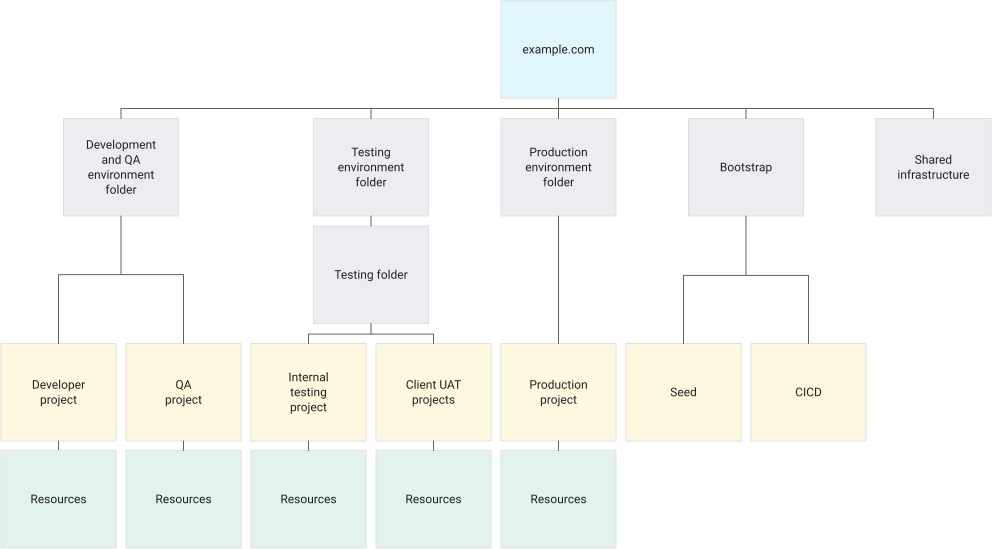
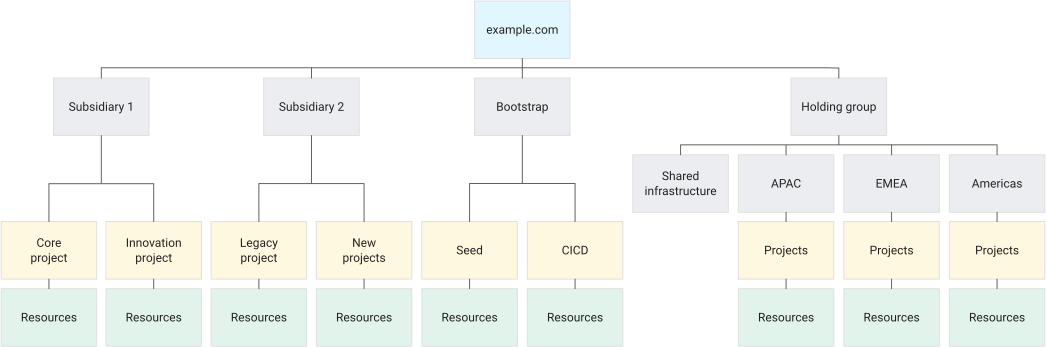
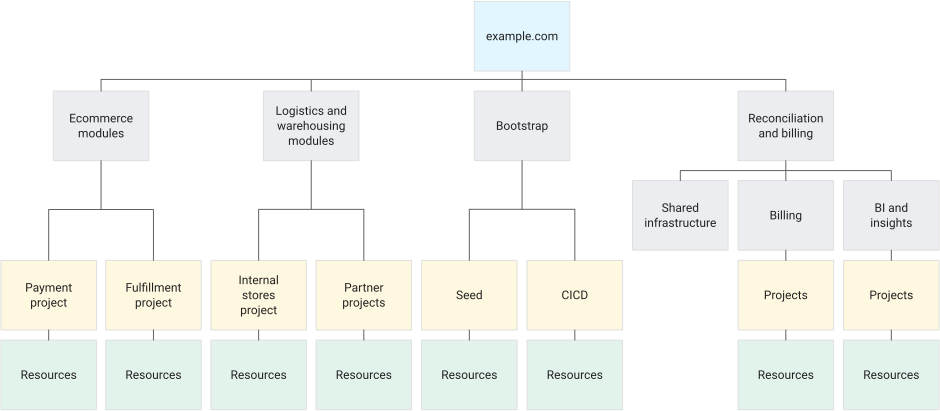
There's no single right answer for hierarchy design — you can plan it around whatever your organisation needs, and you can even skip GCP folders altogether; it comes down entirely to your company's internal governance policy for systems and services. Whichever model you pick, it's common to carve out an additional shared-services folder to centrally manage common components like networking, audit logs and CI/CD, then expand the folders for each application/environment/subsidiary underneath it according to your chosen model. Once the GCP folder hierarchy is in place, you can create the GCP projects you need inside it and start using GCP services.
Finally, if you're struggling with folder or project naming, refer to Google's recommended folder and project naming conventions.